


Features & Benefits
Canon Pixma MG7750 is a premium All-In-One printer that uses 6 Canon Pixma MG7750 Ink Cartridges to print stunning photos without compromising on speed or quality. It allows you to connect to smart devices and the cloud via intuitive touch controls. Also, enables you to print borderless photos superfast and that too in premium quality with Canon's FINE technology and a resolution of 9,600 dpi using its single Canon Pixma MG7750 Ink Cartridges. It quickly and effortlessly prints and scans from smart devices such as mobile phones and tablets with the Canon PRINT app using NFC and Wi-Fi Direct capabilities. What’s more, this Pixma MG7750 also gives you the creative freedom of cloud printing and scanning with enhanced PIXMA Cloud Link. Pixma Cloud Link lets you share photos, document using cloud services without using a computer.
Using this printer, you only need to replace the colour that runs out, with its specific individual ink cartridges. In addition, it accepts both standard and extra-large cartridges. This way, you can print and save money using optional XL cartridges. The Canon Pixma MG7750 Ink Cartridges come in pigmented black, black, grey, magenta, cyan and yellow colour. Plus It has auto 2-sided printing, helping you reduce paper wastage. You can enjoy simple and easy print, copying and scanning all in one single unit with your fingertip. This model has a CIS flatbed photo and document scanner, that produces high-resolution scans. The 8.8 cm colour touch screen is large in size and consists of clear instructions. Compatible with both Windows and Mac OS, this printer accepts plain papers, glossy papers, matte papers, semi-gloss paper and envelopes. In addition, it allows you to set the paper type and size according to the paper loaded in the tray. Also, this printer is stylish in appearance and does not take much space. Considering all the above features, this printer is the right choice for homeowners and small offices.
Expert Verdict
The Canon Pixma MG7750 is designed for document printing & photo printing. It's a stylish home printer, though a bit more expensive to run than other Canon machines, the main feature is for colour and photo printing where it is one of the best you would see. The Canon Pixma MG7750 does everything it is supposed to do, from the easy installation process to easy wi-fi connectivity, it does whatever it promises. The installation of 6 Canon Pixma MG7750 Ink Cartridges is also easy. You can replace the Canon Pixma MG7750 Ink Cartridges which run out of ink and then you can print and copy again. It is also Windows 10 and OS X compatible. Having print, scan and copy, all of them in one single unit, this printer enable to print-to and scan-to all the common platforms such as Google Drive or Dropbox, moreover, this Pixma printer has full Wireless and AirPrint functionality, twin paper trays and CD printing, we can’t think of a home printer function that it doesn't have. The touch screen is easy to use and does all the things just with a press of your fingertip. Moreover, it also has a card reader & PictBridge connections. You can also access the Canon PRINT app which allows you to check the printer status, manual and real-time ink levels of the Canon Pixma MG7750 Ink Cartridges anywhere at any time.
For a normal printing operation, this Canon MG7750 can beat other home printers on the market at the speed of around 10 pages per minute. This makes it fast enough for a home or small office, but for more than just printing and heavy tasks, you will need a more heavy-duty focused machine. We can not deny it is much slower when printing photos but still gives a respectable speed and also, the prints are worth the wait, thanks to its high capacity ink Canon Pixma MG7750 Ink Cartridges. This printer is considered as one of the top-rated photo printers and it's all down to the simply fantastic print quality. What's more impressive is the range of photos it can handle. Be it Sepia prints or Fleshy tones for close-ups, it produces incredibly realistic prints. Be it bright, vivid tones, monochrome or light to dark prints, it is aimed to fulfil all your requirements and is a stunning all-rounder machine covering all important aspects.
The MG7750 has a separate back cartridge for work and text documents which it uses whenever it detects a non-image file being printed. This technique helps you keep your printing costs down, meaning you will not have to waste any valuable photo ink on your normal work. This is probably one of the best features Canon has introduced with its new range. Besides the large dedicated black cartridge for work and text printing ( PG-570xl), it has other 5 colour Canon Pixma MG7750 Ink Cartridges for your photos: cyan, magenta, yellow, grey and a separate black. The inclusion of a grey is to improve the range of colours your printer can reproduce and is very apparent when you print any grayscale or monochrome prints, the results are far more satisfactory than the similar level 4-cartridge printers. Moreover, the Canon Pixma MG7750 Ink Cartridges come in two various capacities, standard and extra-large. We would heavily recommend purchasing the XL ones. The high capacity XL Canon Pixma MG7750 Ink Cartridges may look expensive at first but they give far better running costs and are more economical. In all, this printer is the right choice for photo enthusiasts who want/need quality, those who don't mind paying a little bit extra for quality. This machine will last longer and do what it says.
Review
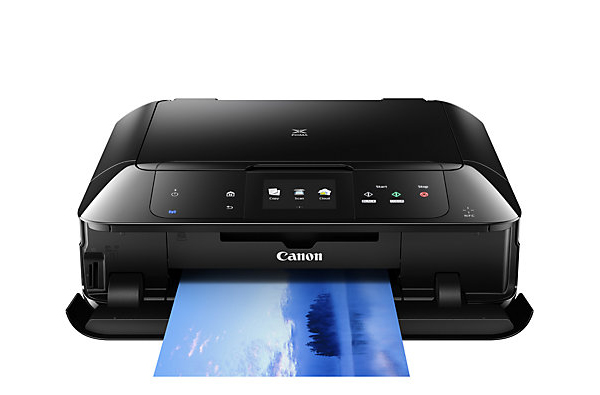 Canon Pixma MG7550 is a compact all-in-one designed for photo enthusiasts. The device offers flexible connectivity options with WiFi, NFC, and Ethernet. An extra pigment black Canon Pixma MG7750 ink cartridge is one of the eye-catchers.
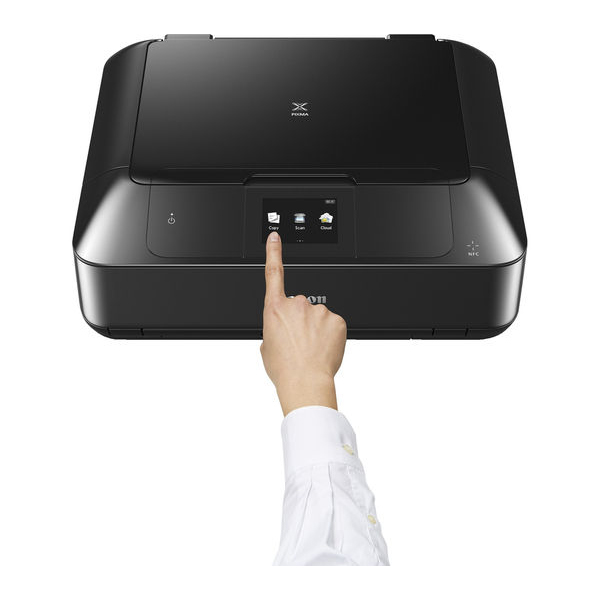
The multifunction device is integrated with an intuitive touchscreen with a size of 8.8 cm. The control panel comes with large buttons that add to enhanced fingertip control. There is a 125-sheet output tray in the front and a dedicated photo tray with a capacity of 20 photo blanks. The photo output quality of the machine is enhanced with a resolution of up to 9600 dpi and a 6-colour ink technique. The printing speed for black and white is 15 ppm whereas for the colour it is 10 ppm. The printer offers the freedom to print from Cloud, smartphone or tablets with a wireless connectivity. The machine is compatible with Windows and Mac PCs.
Advantages
- Intuitive LCD touchscreen
- Exceptional quality photo printing
- High-speed printing
- Support for PC as well as PC-free printing
- Compatible with Google Cloud
- Allows printing from smart mobile devices
- Enables printing from memory cards and camera
- Automatic duplex function available
- Extra Canon Pixma MG7750 ink cartridge in the pigment black
Disadvantages
- Fax function is lacking
- ADF is missing
- Printing is slightly a noisy task
- Issues with NFC
Canon Pixma MG7750 Ink Requirements
Printer ink for Canon Pixma MG7750 are as follows:

Canon Pixma MG7750 Black ink Compatible Cartridge High Capacity
Canon PGI570 Ink Cartridge Black with a print capacity of 500 Photos.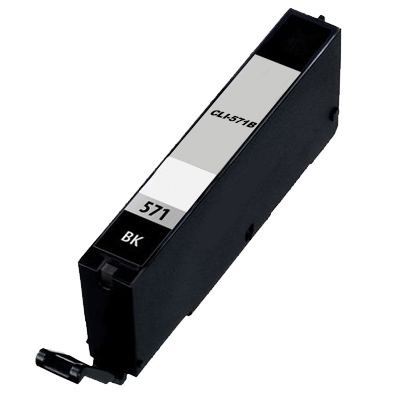
Canon Pixma MG7750 Black ink Compatible Cartridge High Capacity
Canon CLI571 Black Ink Cartridge with a print capacity of 895 Pages.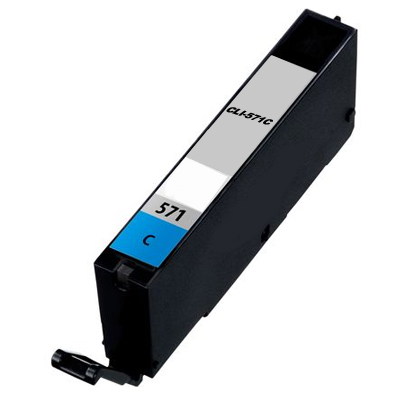
Canon Pixma MG7750 Cyan ink Compatible Cartridge High Capacity
Canon CLI571 Cyan Ink Cartridge with a print capacity of 680 Pages.
Canon Pixma MG7750 Magenta ink Compatible Cartridge High Capacity
Canon CLI571 Magenta Ink Cartridge with a print capacity of 650 Pages.
Canon Pixma MG7750 Yellow ink Compatible Cartridge High Capacity
Canon CLI571 Yellow Ink Cartridge with a print capacity of 680 Pages.
Canon Pixma MG7750 Grey ink Compatible Cartridge High Capacity
Canon CLI571 Grey Ink Cartridge with a print capacity of 289 Photos. Conclusion
 Conclusion
Canon Pixma MG7750 is a stylish looking all-in-one that allows printing with most of the smart devices. It also offers a wide range of connectivity options. Additionally, the XL-size Canon Pixma MG7750 ink cartridges make printing cost-effective. As it provides an option to print outstanding quality photos, it is definitely the tool to meet your passion for photography.
How to solve “printer not printing black” issue for Canon Pixma MG7750 printer?
To solve this issue, please consider the following steps:
- The installed Canon Pixma MG7750 ink cartridges (ink tanks) should be correct and full of ink. Their standard order is Magenta, Black, Yellow and Cyan Canon Pixma MG7750 ink cartridges.
- The Canon Pixma MG7750 ink cartridges should be of good quality ie, they should not be dry or expired.
- Check whether the ink is ejecting properly from the printhead or not, please print the nozzle check pattern. Follow these steps to do so:
- Ensure that the printer power is turned on.
- In the Auto Sheet Feeder or the Cassette, load a sheet of A4 or Letter-sized plain paper. (Use good quality pages)
- There should be 5 or more than 5 A4 size papers in the tray.
- Pull the Paper Output Tray and then open the Output Tray Extension.
To print the nozzle check pattern:
- Press the MENU dial.
- Press the Setup button.
- Select Maintenance, then press the OK button. The Maintenance screen is displayed.
- Choose Print nozzle check pattern and then press the OK button. (The pattern print confirmation screen is displayed)
- Select Yes and then touch the OK button.
The nozzle check pattern is printed and if it is not satisfactory, please follow these steps to perform cleaning:
- Press the Menu button.
- Press the Setup button.
- Select Maintenance and then select the OK button.
- Choose Cleaning and press OK.
- Confirm your selection by choosing Yes.
- Wait until the cleaning is performed. Do not perform any other operation until the cleaning operation is completed. After performing 2 or 3 cleanings, print another test page and observe the print.
If the printer is still unable to print black, contact the Canon care service.