


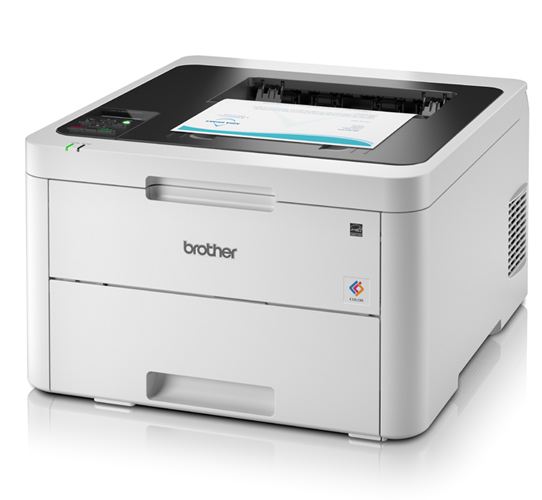
 If your small office has a busy work environment, Brother HL-L3230CDW will handle the burden efficiently, without costing unreasonably high. Thanks to the LED technology which supports this printer and makes it affordable by consuming less power.
When we talk about printer dimensions and weight, it is 410 (W) x 461 (D) x 252 (H) mm and 18 kg respectively. Though it looks bulky but, fits in any space and is desktop-friendly. The print speed of the printer goes well up to 18 ppm and the quality of text, graphics and photos is great.
Brother HL-L3230CDW Toner cartridges have the capacity of working non-stop and is capable to print up to 1000 pages. It supports automatic double-sided printing, which increases productivity while decreasing the long-run costs. Its main paper tray offers a capacity to handle 250 sheets together. This prevents refilling the tray frequently allowing you to keep working longer without any hindrance. The printer is compatible with Windows and Mac OS. Networking options are available with or without cables and provide WiFi direct access to print from any tablet or smartphones.
Advantages
- Affordable printing with LED technology
- Lab-quality text, graphics and photos
- High capacity Brother HL-L3230CDW Toner cartridges
- Features automatic duplexing facility
- Wireless printing directly from mobile devices
- 250-sheet paper tray
Disadvantages
- Scanner and copier is lacking
- A fax machine is wanting
- ADF is absent
- Not for large offices with a heavy workload
Brother HL L3230CDW Toner Requirements
Printer Toner for Brother HL L3230CDW are as follows:

Brother HL L3230CDWBlack Compatible Toner Cartridge
Brother TN247 Toner Cartridge Black with a print capacity of 3,000 Pages.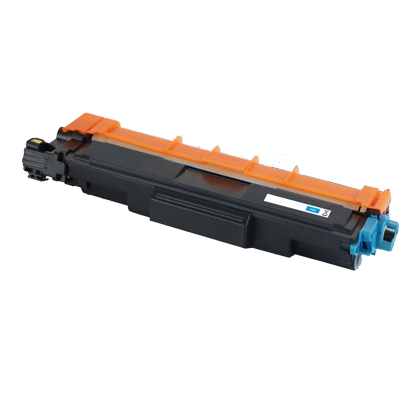
Brother HL L3230CDW Cyan Compatible Toner Cartridge
Brother TN247 Toner Cartridge Cyan with a print capacity of 2,300 Pages.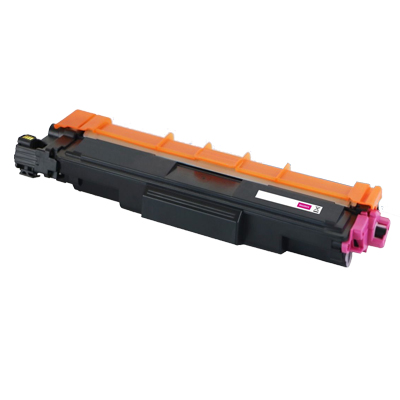
Brother HL L3230CDW Magenta Compatible Toner Cartridge
Brother TN247 Toner Cartridge Magenta with a print capacity of 2,300 Pages.
Brother HL L3230CDW Yellow Compatible Toner Cartridge
Brother TN247 Toner Cartridge Yellow with a print capacity of 2,300 Pages.Conclusion
Brother HL-L3230CDW is a single function printer. It effectively supports a traditional work environment where print jobs are sent from computing devices to a local network. With the integration of LED technology and automatic duplexing, the costs come down. Hence, this device turns out to be a highly reasonable option for busy homes, workgroups and small offices.
 I am receiving unexpectedly poor prints. How can I maintain the performance of my Brother HL-L3230CDW printer?
 I am receiving unexpectedly poor prints. How can I maintain the performance of my Brother HL-L3230CDW printer?
 While performing any printing functions, proper maintenance is required. Check the actions that need to be performed in order to prolong the life of your printer and its cartridges.
- Clean the outside and inside part of the printer with a dry and lint-free cloth.
- When you try replacing the Brother HL-L3230CDW toner cartridge or drum unit, make sure you clean the inside part of the machine properly. If the printed page has stains of toner over it, clean the part of a printer with a dry, lint-free cloth.
- While performing the cleaning operation, remember not to use any flammable substances, or any other type of spray, or an organic solvent/liquid that contains alcohol. Doing so might cause a fire. Thus it is recommended to use only a dry and clean cloth for the process.
- Do not use alcohol to remove dirt from the control panel, it may lead to crack the panel.
What to do if the colours of my whole page appear light or faint while printing through Brother HL-L3230CDW printer?
If you face a print quality problem, it is recommended to print a test page first. If the printout appears good, the problem is probably not there with the machine. Using low-quality Brother HL-L3230CDW toner cartridges can also cause the problem, check the following solutions:
- Use the machine's LCD to perform the calibration function. Refer user manual to calibrate the colour output.
- Make sure the toner save mode is off in the LCD or the printer driver. Toner Save mode must be only put on if you are short of toner in your cartridges.
- Make sure the media type setting in the printer driver matches correctly with the type of paper you are using.
- Shake all the four Brother HL-L3230CDW toner cartridges gently before installing in the machine.
- Select a dry, soft lint-free cloth to wipe the windows of all four LED heads.