


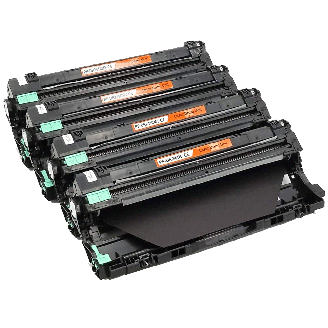


 The Brother MFC 9340CDW is a multifunction printer that combines four machine in one as it provides printing, copying, scanning and fax functions. It also supports duplex printing and wireless printing. Brother MFC-9340CDW is an ideal choice for small businesses that prints primarily in black, but also need in-house, high-impact color printing. It also supports high capacity Brother MFC 9340CDW toner cartridges, offering low cost per copy.
The design of this printer is sleek and compact with rounded edges on all the sides measuring 16.1 x 19 x 16.1 inches. It has a neatly designed control panel with a 3.7 inch colour touchscreen display. The menu system of this machine is simple and easy to operate. With just one touch on the button the respective function of the button works and displays the information on the LCD screen. It has a Web Connect option in its menu which facilitates to connect to the web directly from the Web Connect TouchScreen display Interface to access your account on, Facebook, Flickr, Evernote, Dropbox, Skydrive. It also supports USB direct interface and “scan to” feature
The device has a standard 256 MB of RAM. It is compatible with Windows and Mac operating systems. The device also supports black and white faxing at 33.6 kbps, colour copying and advanced scanning. The print speed of this printer is up to 23 ppm having resolution up to 600 x 2,400 dpi. The input tray of this device can handle up to 250 sheets of blanks and the output tray can store up to 100 sheets of paper. It also supports single sheet multipurpose tray, capable of printing on different print media.
Advantages:
- Supports mobile device printing
- Supports USB direct interface and wireless printing
- High print speed
- Automatic duplex printing
- Supports secure function lock feature
- ADF support
- High capacity Brother MFC 9340CDW toner cartridges
- Supports Web connect option
- Easy to operate
- High impact colour printing
- High quality scanning
- Supports “scan to“ feature
Disadvantages:
- Non-expandable memory and paper tray capacity
- Limited media handling capacity
- Difficulty in software installation
Brother MFC 9340CDW Toner Requirements
Printer Toner for Brother MFC 9340CDW are as follows:

Brother MFC 9340CDW Black Compatible Toner Cartridge
Brother TN241 Toner Cartridge Black with a print capacity of 2,500 Pages.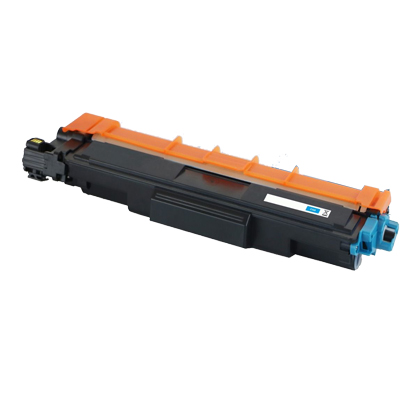
Brother MFC 9340CDW Cyan Compatible Toner Cartridge
Brother TN245 Toner Cartridge Cyan with a print capacity of 2,200 Pages.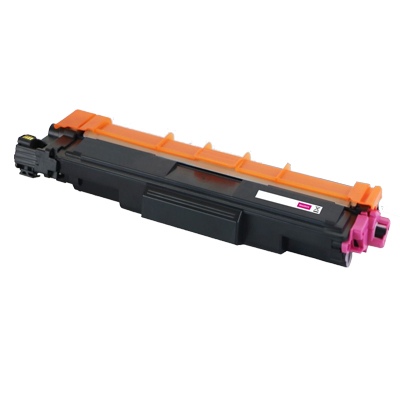
Brother MFC 9340CDW Magenta Compatible Toner Cartridge
Brother TN245 Toner Cartridge Magenta with a print capacity of 2,200 Pages.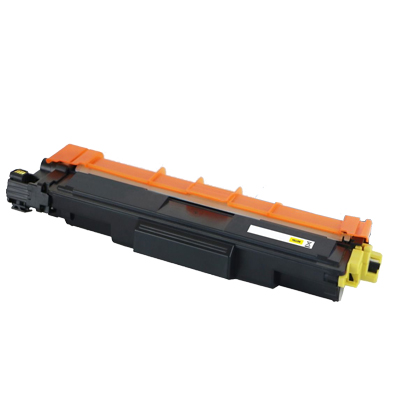
Brother MFC 9340CDW Yellow Compatible Toner Cartridge
Brother TN245 Toner Cartridge Yellow with a print capacity of 2,200 Pages.Conclusion:
Brother MFC 9340CDW is an ideal solution for small business as it offers wide variety of features such as mobile device and wireless printing, automatic duplex printing, colour printing and ADF support. It allows you to scan or download from specific web services using an Internet connected Brother MFC-9340CDW without using a computer. It also allows you to access your Facebook, Picasa, Flickr, Evernote, Google Drive, Dropbox accounts.However, non-expandable memory and paper tray capacity limits the productivity.
 What to do when Brother MFC printer produces curled or wavy prints?
 What to do when Brother MFC printer produces curled or wavy prints?
Brother MFC 9340CDW printer may encounter with some issues like uneven density across the pages or prints with curls or waves etc. Which generally happens when the paper is not insert inside the paper tray in a proper way or may be paper have been there for too long in the tray. To resolve this follow the steps:
Step 1:
To get the best print quality, the users are recommended to use the paper that meets all general media specification set by Brother.
Step 2:
Check that the drum units and your Brother MFC 9340CDW toner cartridges are installed correctly, if not then reinstall them again.
- Perform the calibration using the Touchscreen or the printer driver
- Adjust the copy density and contrast if you are copying
- Clear the Improve Grey Colour check box in the printer driver.
- Identify the colour cartridge that is causing the problem and install a new Brother MFC 9340CDW toner cartridges. Refer the troubleshooting tips in order to identify the colour of the Brother MFC 9340CDW toner cartridges and learn how to replace them.
- Identify the colour causing the problem and install a new drum unit. Refer the troubleshooting tips in order to identify the colour and also learn how to replace the drum units.
- Choose Reduce Paper Curl mode in the printer driver setting, to get rid of such curls.
- If the problem is not solved, choose Plain Paper in the media type setting.
- If you are printing an envelope, choose Env.Thin in the Media Type Setting of the printer driver.
- If you do not use the machine often, the paper may have been in the paper tray too long. Turn over the stack of paper in the paper tray. Also, fan the paper stack and then rotate the paper 180°in the paper tray.
- Store the paper where it will not be exposed to high temperatures and high humidity.
- Open the back cover (face-up output tray) to let the printed paper exit onto the face-up output tray. Doing so will surely resolve the issue and will improve your print quality.