


Features & Benefits
With the MFC-J5320DW, you can print high-quality business documents. It's the ideal solution for increasing production because it's low-cost to run, speedy, and reliable. The extremely high yield supplies cut the total cost of ownership and running costs even more with specially designed features such as 2-sided printing and ink save mode to ensure your running expenses are kept to a minimum. Take advantage of A3 printing for high-impact papers, as well as a 35-sheet automatic document feeder (ADF) for quick scanning, copying, and faxing. Cloud connectivity and direct mobile printing are also included in the MFC-J5320DW, which are important in today's fast-paced work situations.
Super high yield BROTHER MFC J5320DW ink cartridges can print up to 2,400 black and 1,200 color pages. You can scan and share documents across your existing wireless network, or print from your mobile devices using Brother's iPrint&Scan software, Apple Airprint, or Google Cloud Print. You may also scan to Dropbox, Google Drive, Box, OneDrive, PICASA, FLICKR, EVERNOTE, and OneNote by connecting straight to the web from your printer. The MFC-J5320DW can also print in A3 and A4 paper sizes at rates of up to 22ipm (mono) and 20ipm (color). This enables your company to deliver professional, high-quality work without having to wait. High-quality print and scanning are possible thanks to the 6,000 x 12,000dpi image resolution, which is ideal for detailed papers, charts, posters, plans, and drawings, as well as professional-standard color marketing materials.
All Brother inkjet multifunction printers include a four-cartridge ink system, which means you only have to replace the BROTHER MFC J5320DW ink cartridges that run out, reducing waste and saving you money. The MFC-J5320DW also meets stringent ENERGY STAR, Blue Angel, and Nordic Swan environmental criteria, resulting in low energy usage, low noise levels, and a recyclable design. BROTHER MFC J5320DW ink cartridges have been designed to work flawlessly with Brother printers to offer clear, smudge-proof text and high-quality photographic images.
Expert Verdict
Printers have been getting surprisingly cheap, but the price tag on Brother's MFC-J5320DW prompted a double-take. This compact inkjet MFP can print, scan, copy, and fax and is all controlled by a color touchscreen. You can scan directly to an inserted USB stick or a cloud-based service like Google Drive after sharing it over a wired or wireless network. It includes a 35-page automated document feeder (ADF), can print on both sides of each page (duplex printing), and, as if that wasn't enough, can print on A3 paper.
The printer has a 6.8cm color touchscreen that provides immediate access to the printer's operations and capabilities, making control and setup simple. The printer weighs 10.8kg and is 240x490x290mm. The printer's reduced energy consumption earns it a higher environmental grade. Direct printing is possible with a USB flash drive. The BROTHER MFC J5320DW ink cartridges provide both sharp, clear text and high-quality photos.
This isn't a particularly attractive MFP, and the paper input tray is quite clattery and unpleasant to use. It's cumbersome to load it with A3 paper because you have to release a catch and stretch it entirely outwards, and different paper sizes are loaded with different orientations, which might rapidly get complicated. Although the USB port is hidden by a flap, it is located next to an empty slot that would normally house the SD card reader on more expensive versions. When it comes to operating costs, there's even more good news. The MFC-J5320DW comes with BROTHER MFC J5320DW ink cartridges that print 550 pages each, but you can upgrade to XL cartridges that print 2,400 black pages or 1,200 pages in each color. Using this, the cost per page is only 3.4p, with the black component being only 0.8p. For such a low-cost product, that's highly competitive. BROTHER MFC J5320DW is an inkjet printer that uses a four-color BROTHER MFC J5320DW ink cartridges system that is black, Cyan, Yellow and Magenta.
Fortunately, there's a lot to enjoy about this multifunction printer. There are some nice design touches, like the ADF cover that clicks shut to keep dust out. Its touchscreen isn't the largest and doesn't respond to swipe gestures, but it's generally responsive and the menu structure is straightforward; we enjoy the ability to create custom shortcuts. Connect via wired or wireless network, or use AirPrint, Google Cloud Print, or Brother's iPrint&Scan software to print directly from your mobile device. Connect to your online cloud-based accounts, such as OneNote, EVERNOTE, and PICASA, and instantly access your cloud storage, such as Google Drive, Dropbox, and OneDrive, using the 6.8cm touchscreen without the need for a PC.
Color pigment-based inks in individual BROTHER MFC J5320DW ink cartridges help keep MFC-J6530DW printing costs low since just one less expensive cartridge needs to be replaced with BROTHER MFC J5320DW ink cartridges rather than all colors at once. The Brother J6530DW tray has a 250-sheet capacity and a rear manual feed slot, allowing you to use a range of media types for printing. Genuine BROTHER MFC J5320DW ink cartridges are not necessary to use, good quality compatible BROTHER MFC J5320DW ink cartridges can be used instead. The BROTHER MFC J5320DW printer is compatible with Windows XP or later, Mac OS X 10.7.5 or later, Android, and iOS operating systems.
To summarise, Brother's MFC-J6530DW is a dedicated A3 all-in-one with a variety of connectivity options, including mobile and wifi. This printer is suitable for use in the workplace, at home, or on the go. Inkjet technology allows users to print, copy, scan, and fax from a single machine. Also, the MFC-J5320DW meets German Blue Angel and Nordic Swan environmental specifications.
Review
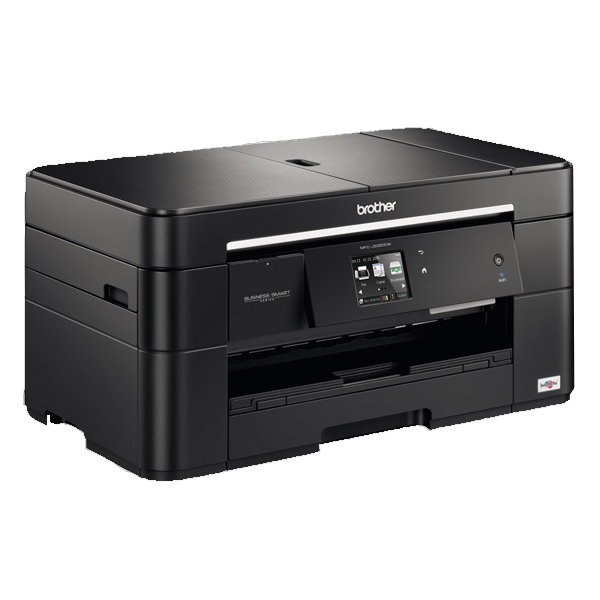 Brother MFC J5320DW is a multifunctional printer with a simple looking design. The printer is a perfect choice for small office and home users. The small looking device is capable of printing, scanning, as well as copying. It also has a 30-sheet ADF, fax, duplexer and a large touch screen LCD display.
Even after all these features the printer surprisingly have a compact and attractive design. Like other Brother printers in this series, this one also takes the input feed in landscape mode. The printer has one 250-sheet paper tray, at the front, that can handle anything from 15 x 10cm photo blanks up to full A3 sheets. There is one more input slot at the back of the printer that is build for A3 sheets. The flat top surface of the device smartly holds a 30-sheet ADF and a single sheet flatbed scanner.
The printer uses Brother MFC J5320DW ink cartridges that produce high image quality with a maximum resolution of 6000 x 1200 dpi.
Advantages:
- Wireless and USB connectivity
- Fax function
- Automatic duplexer
- 30-sheet ADF
- Great paper handling feature
- A3 printing
- Ethernet, Wi-Fi, PictBridge, USB, and memory card reader slots
Disadvantages:
- Low print quality
- limited paper capacity (250 sheets)
- Fax, scan, and copy function does not support A3 printing
BROTHER MFC J5320DW Ink Requirements
Printer ink for Brother MFC J5320DW are as follows:
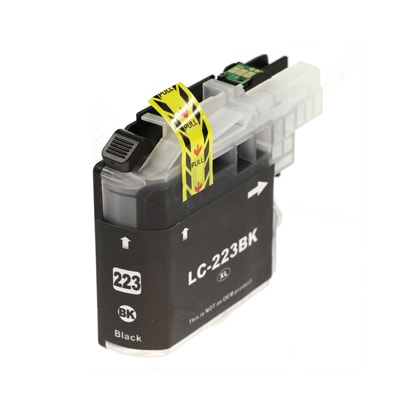
BROTHER MFC J5320DW Black ink Compatible LC223 High Capacity Cartridge
Brother LC223 Ink Cartridge Black with a print capacity of 550 Pages.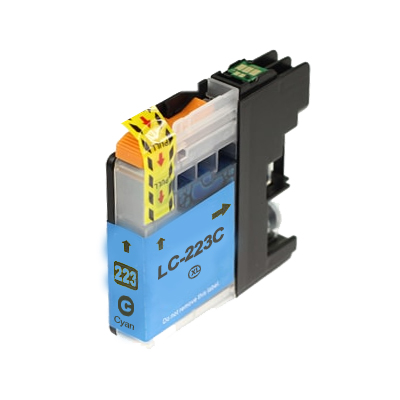
BROTHER MFC J5320DW Cyan ink Compatible LC223 High Capacity Cartridge
Brother LC223 Ink Cartridge Cyan with a print capacity of 550 Pages.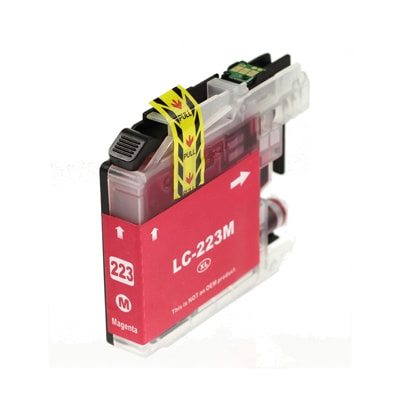
BROTHER MFC J5320DW Magenta ink Compatible LC223 High Capacity Cartridge
Brother LC223 Ink Cartridge Magenta with a print capacity of 550 Pages.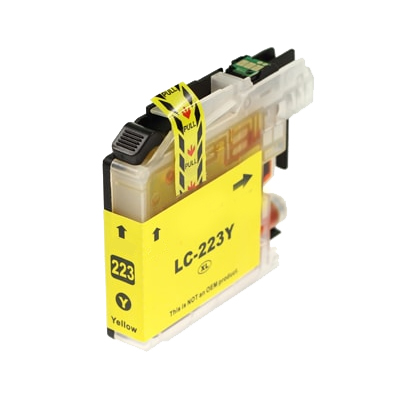
BROTHER MFC J5320DW Yellow ink Compatible LC223 High Capacity Cartridge
Brother LC223 Ink Cartridge Yellow with a print capacity of 550 Pages. Conclusion:
 Conclusion:
The Brother MFC J5320DW is a multi-functional printer that would perfectly serve a small office. It has great looks with a small footprint that help you save a lot of space at your home or workplace. It can fax, copy, scan, and print anything from 15 x 10cm photo blanks up to full A3 sheets. Along with the paper handling capacity, the printer offers wireless, ethernet, and USB connectivity and also lets the users to directly print any document from their phone, digital camera, or memory cards.
How to Improve poor print quality of BROTHER MFC J5320DW printer?
The print quality of a printer can be affected by many reasons, including, clogged printheads, old dried out BROTHER MFC J5320DW ink cartridges or improper vertical alignment of the printer etc.
Follow these steps to improve the quality of the prints:
Step one: Clean the printheads of the printerIf your printouts have horizontal stripes in the text or graphics or have some blank text, then it is an issue of clogged nozzles of printheads. To clean these clogged printheads you need to perform a Print Quality Check on a sheet.
Once the test print is out printer would show you four options and ask you to select an image (1, 2, 3, or 4) that matches closely with the print test result. If the test result matches either of 2, 3, or 4 number image then the printer will prompt a message to ask you to start a print head cleanup process. Select ‘Start’. After this process is finished printer will ask you to check the print quality. Press ‘Yes’. It will prompt the printer to run a test print.
Check the output of the test print. The touch screen would display a message to ask you if the Print Quality is Ok?
Press No if all the lines on the test prints are clear, unbroken and visible. It will stop the process right there.
If the printout result continues with the poor quality then press ‘Yes’ to continue the cleaning process. Make sure the process repeats at least five times.
If the quality does not improve after the five attempts then proceed to next step.
Step Two: Replace the old BROTHER MFC J5320DW ink cartridgesIf you have cleaned up the printhead of the printer and it does not improve the print quality then it might be possible that the ink cartridges have dried out. If BROTHER MFC J5320DW ink cartridges in your printer are older than 6 months or you haven’t used them from months, you need to replace them.